
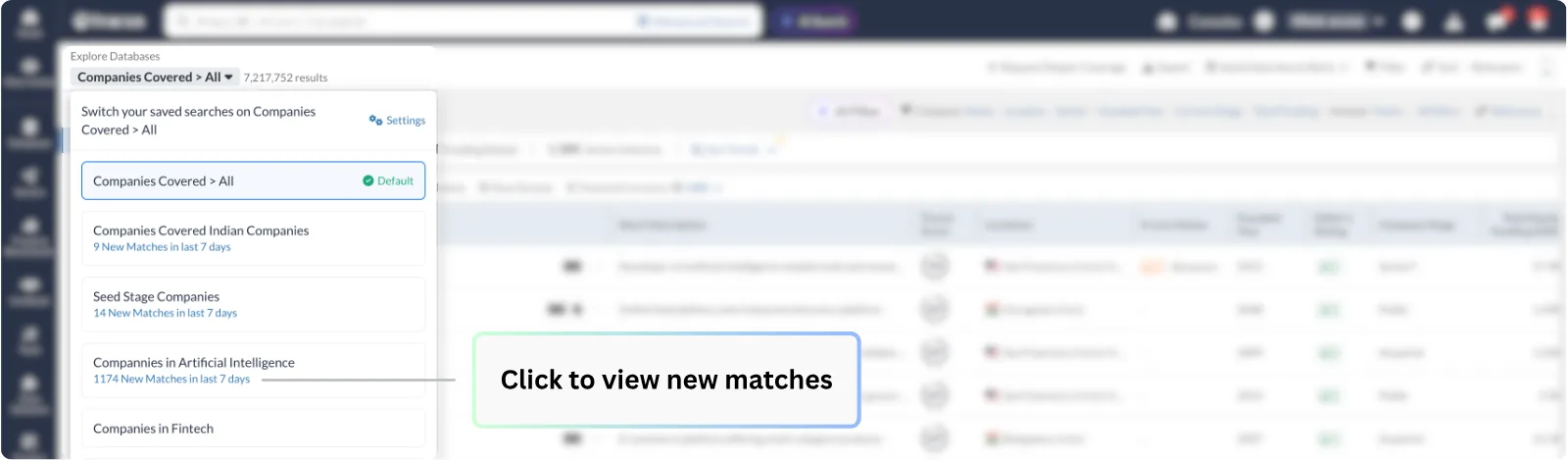
The new Saved Search Selector acts as your mission control for discovery. Located right at the top of your list pages, it allows you to toggle between different saved searches without navigating to a separate page.
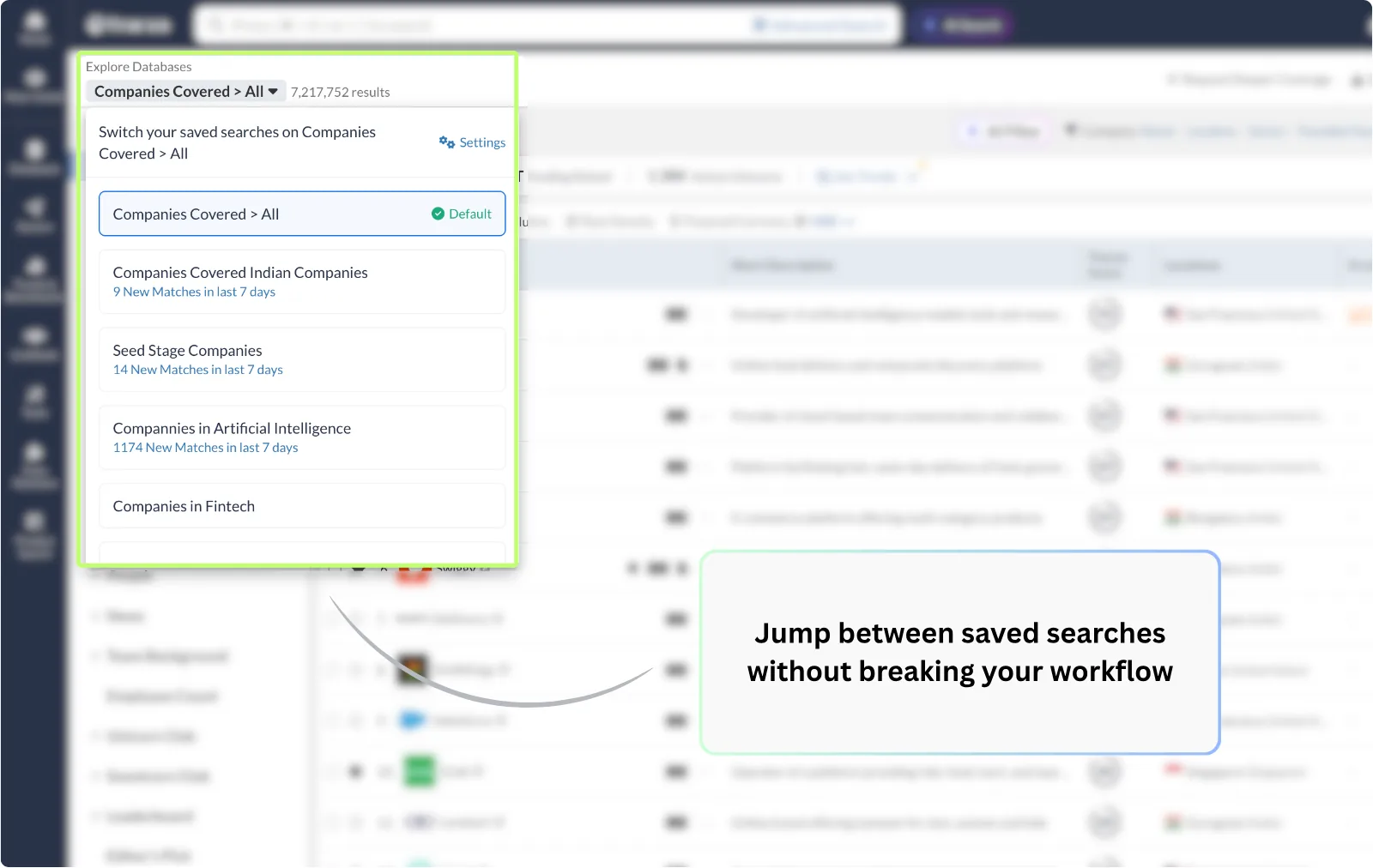
🔹 See what’s new at a glance: The selector displays a "New Match" count directly under each saved search name, so you know exactly where the fresh opportunities are.
🔹 Smart organization: Your searches are automatically sorted by the latest created date, keeping your most recent work front and center.
🔹 Refinement made visible: If you add extra filters on top of a saved search, an asterisk (*) will appear next to the name, letting you know you are viewing a modified version of your original criteria.
You can also see newly added companies under any of your saved searches by simply clicking on the New Matches count.
For added convenience, you can easily toggle between the Table View and Wall View directly on the landing page, giving you the flexibility to choose the layout that makes your analysis most efficient.
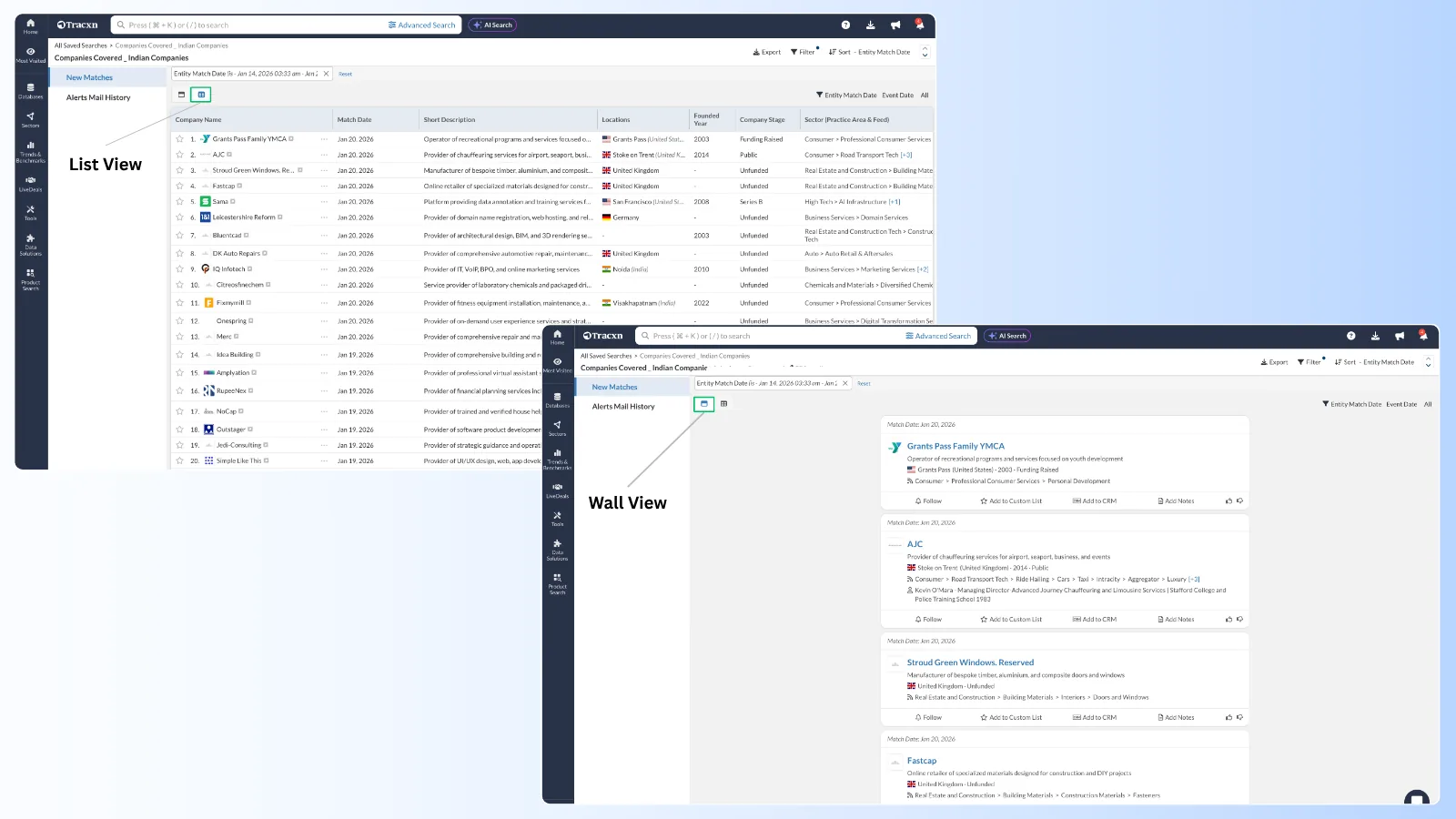
Click on Product Search from the left nav → Saved Searches → Click New Matches → Toggle between Table or Wall View.
We’ve got you covered 24/7.
Reach out via live chat, email at support, or WhatsApp—we’re always here to help.
Premium features, no strings attached. See what the full platform can do for your research.