What’s new
/
Save your Tracxn files straight to Google Drive

Save your Tracxn files straight to Google Drive

September 10, 2026
·
Integrations
Save your Tracxn files straight to Google Drive

Your files, where you actually keep them

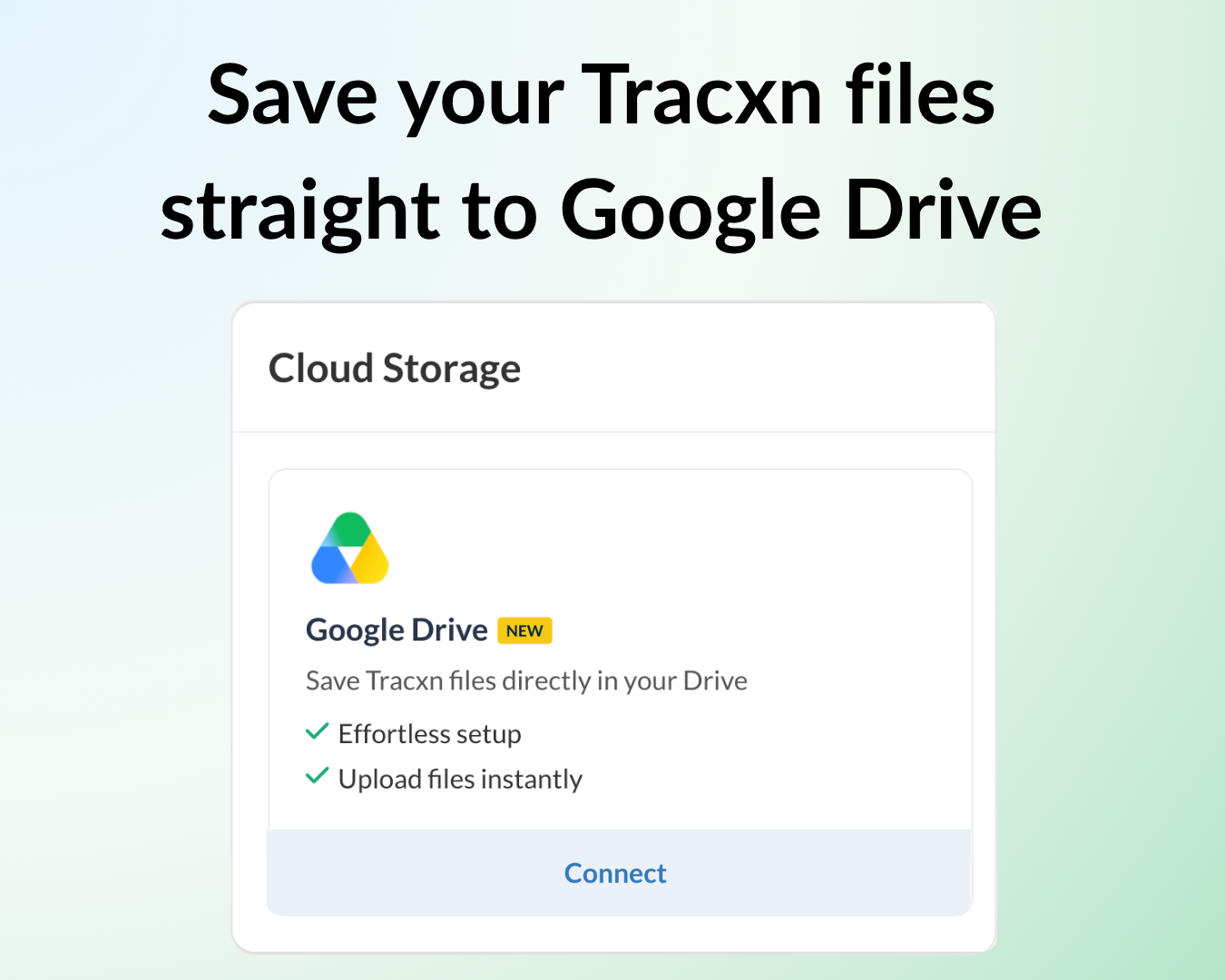
  • Save to Drive from where you download – Once connected, the Drive option appears next to your downloads - on company profile pages, Documents, Reports, Exports, Notifications, and Live Deals. One click, and the file is in your Drive.
  • Everything lands in one folder – Files save to a Tracxn folder in your Drive, so your exports and filings stay organized in one place instead of spread across downloads.
  • Open without duplicates – If a file is already in your Drive, Open in Drive takes you to the existing file; if not, it saves and opens it. Your folder stays clean either way.

Note: Google Drive is currently supported, and the Drive connected must use your Tracxn login email. You can request OneDrive and Dropbox from the same page.


Where to find it

Connect your Drive:

  1. Open the Integrations page and go to the Cloud Storage section.
  2. Click Connect on Google Drive and authorize your account.

Save your files:

  1. Download or export a file from any supported page.
  2. Click Open in Drive, and the file is saved to the Tracxn folder in your Drive

Need help?

We’ve got you covered 24/7.
Reach out via live chat, email at support, or WhatsApp—we’re always here to help.

Share

Try Tracxn for free

Premium features, no strings attached. See what the full platform can do for your research.

introduced-corporate-social-responsibility-widget-on-legal-entities-detail-page
Platform
Introduced 'Corporate Social Responsibility' widget on Legal Entities detail page
get-more-room-for-your-data-collapse-the-sidebar
Platform
Get more room for your data - collapse the sidebar
tracxns-connector-is-live-in-the-claude-marketplace
Integrations
Tracxn's connector is live in the Claude marketplace
save-your-tracxn-files-straight-to-google-drive
Integrations
Save your Tracxn files straight to Google Drive
filter-legal-entities-by-sector-and-funding
Platform
Filter Legal Entities by sector and funding
find-the-filings-you-need-with-document-type-tabs
Platform
Find the filings you need with document type tabs
see-the-investments-acquisitions-behind-any-legal-entity
Data coverage
See the Investments & Acquisitions behind any Legal Entity
see-the-founders-and-key-people-behind-any-legal-entity
Platform
See the founders and key people behind any Legal Entity
export-your-financial-data-in-your-preferred-currency
Platform
Export your financial data in your preferred currency
add-companies-from-tracxn-directly-to-zoho-crm
Integrations
Add companies from Tracxn directly to Zoho CRM
stop-rebuilding-columns-for-every-search-pick-a-preset-instead
Platform
Stop rebuilding columns for every search - pick a preset instead
find-any-text-instantly-within-filings-using-the-search-option
Platform
Find any text instantly within filings using the Search option
discover-stealth-companies-and-founders-before-they-emerge
Platform
Discover stealth companies and founders before they emerge
narrow-down-to-exactly-what-you-need-with-advanced-filters
Platform
Narrow down to exactly what you need with Advanced Filters
visualise-data-trends-quickly
Platform
Visualise data trends quickly
tracxn-mcp-just-got-faster
Integrations
Tracxn MCP just got faster
screen-companies-by-mcap-acqusitions-multiples-and-ev-ebitda
Platform
Screen companies by MCap, Acqusitions multiples, and EV/EBITDA
download-any-table-as-an-excel-file-in-ai-assistant
AI Assistant
Download any table as an Excel file in AI Assistant