
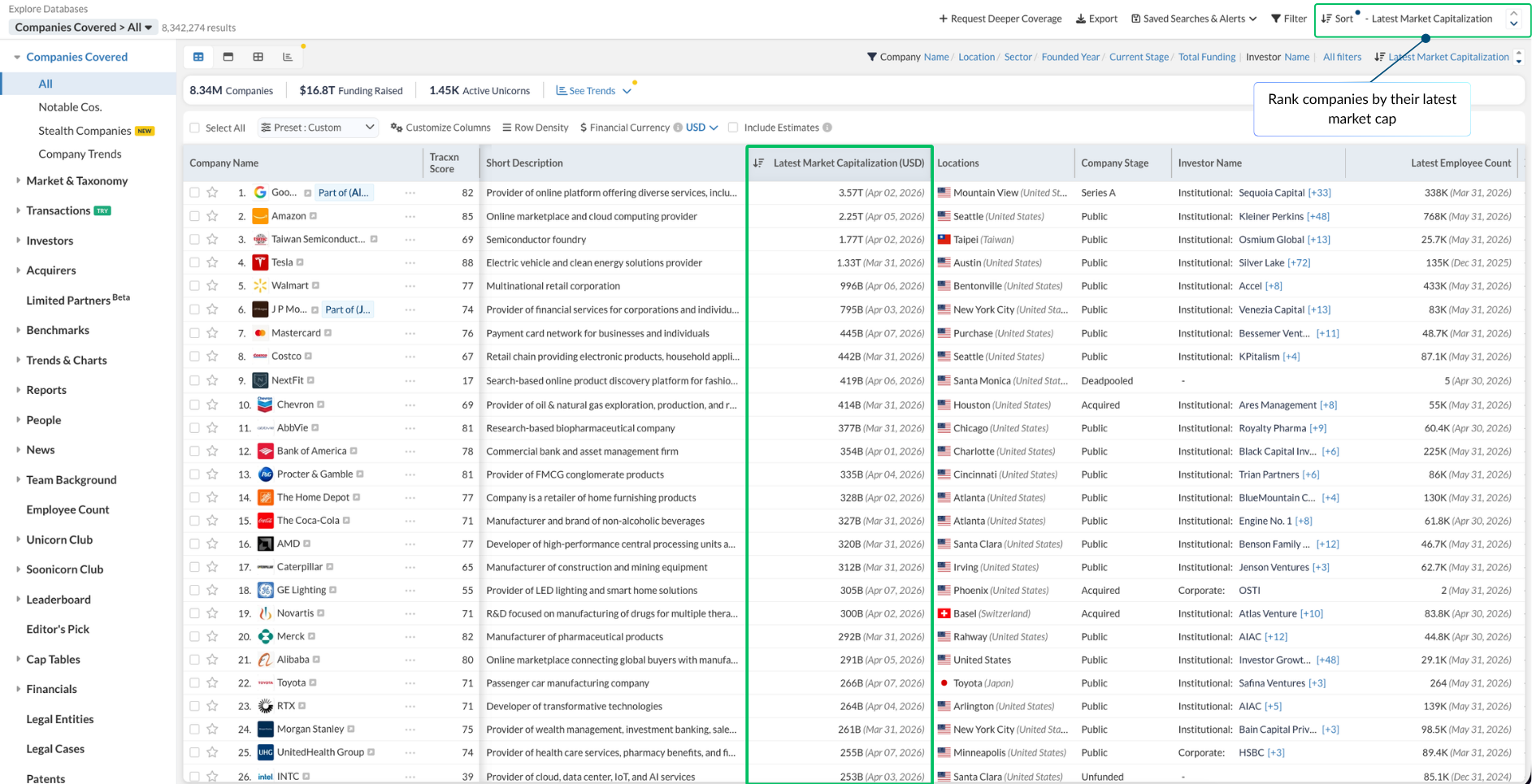
☑️ Sort companies by Latest Market Capitalization - Order the companies database by latest market cap for public companies. Each value shows its update date, so you always know how current the figure is.
Find it under: Companies Covered → All, then Sort by Latest Market Capitalization
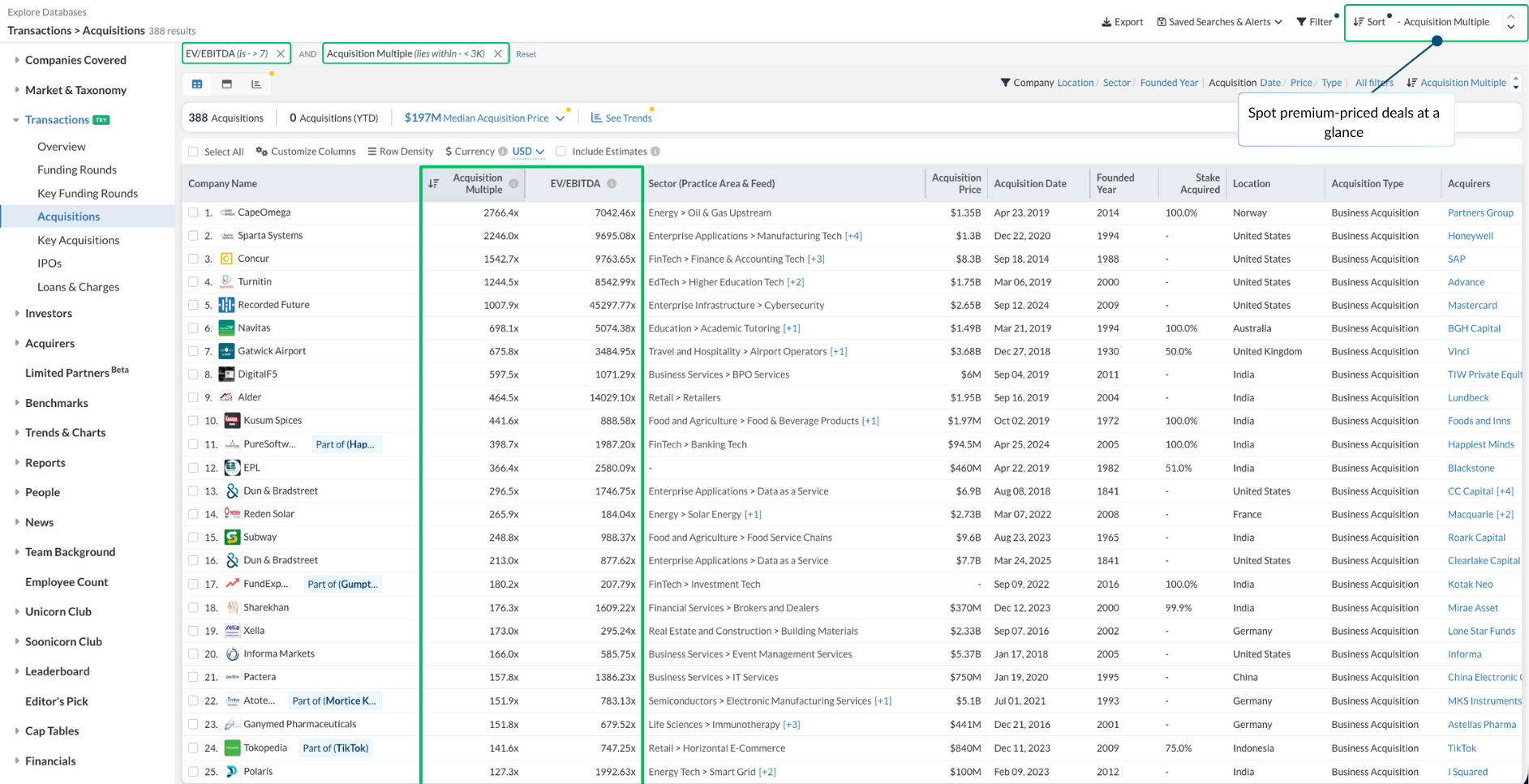
☑️ Acquisition Multiple and EV/EBITDA on acquisition list pages - See both metrics right on the Acquisitions and Key Acquisitions pages, and filter by them too. Spot which acquisitions were priced at a premium and compare valuations across a sector without opening each deal.
Find it under: Transactions → Acquisitions (or Key Acquisitions), then Filter or Sort on the Acquisition Multiple and EV/EBITDA columns.
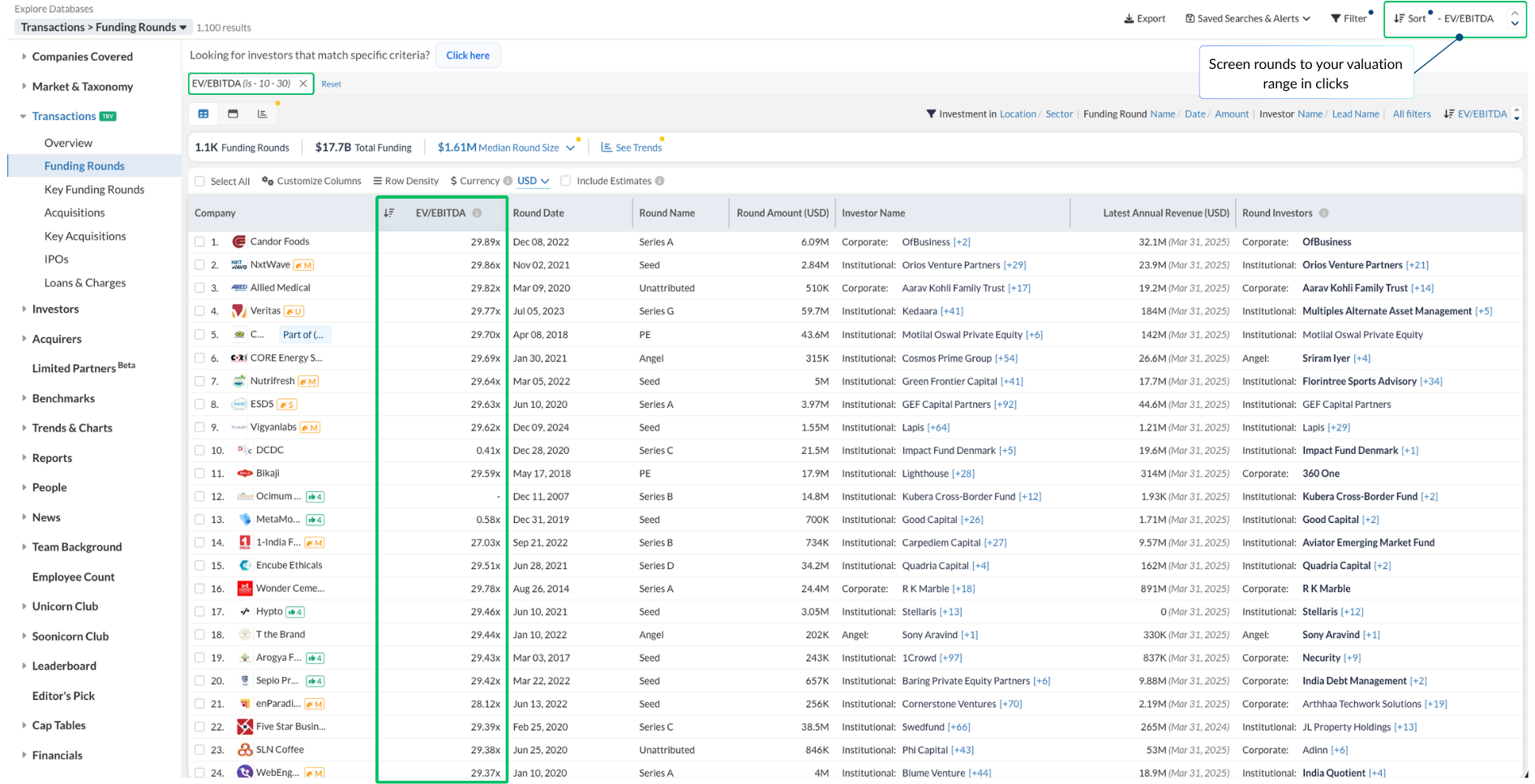
☑️ Sort and filter funding rounds by EV/EBITDA - Set a custom EV/EBITDA range, like 10x to 30x, and sort rounds from highest to lowest multiple on the Funding Rounds page. Narrow a long list down to only the rounds that match your valuation screen in a couple of clicks.
Find it under: Transactions → Funding Rounds, open Filter → EV/EBITDA, set your range, then Sort by EV/EBITDA
We’ve got you covered 24/7.
Reach out via live chat, email at support, or WhatsApp—we’re always here to help.
Premium features, no strings attached. See what the full platform can do for your research.