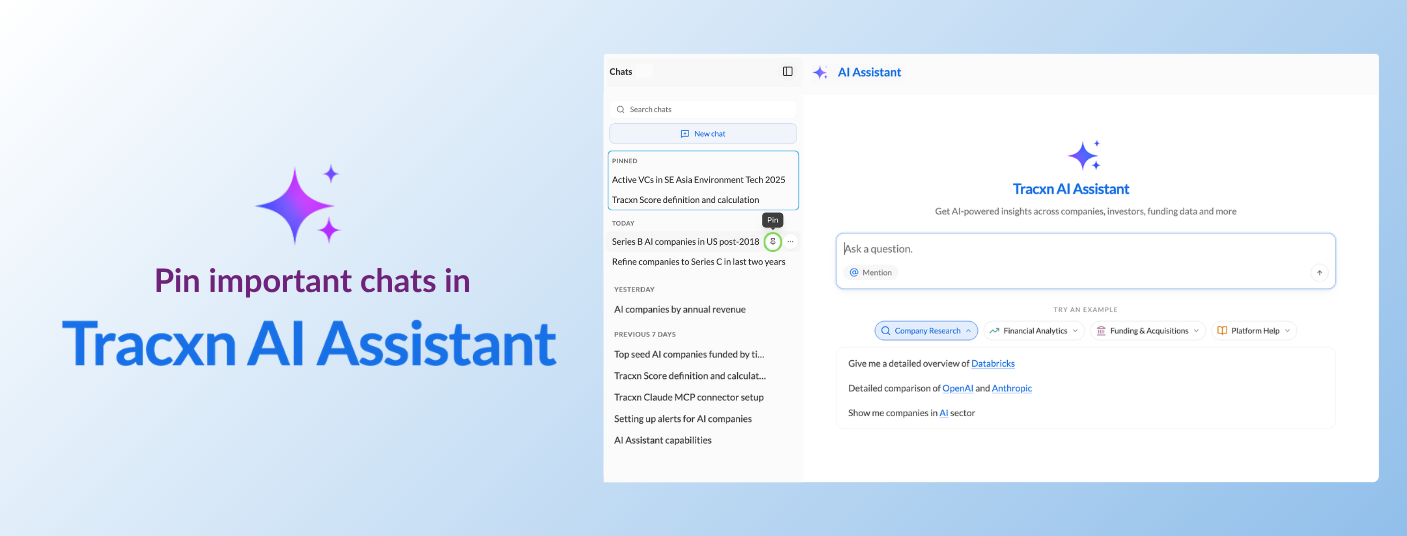
☑️ Your key chats stay on top - Pinned chats move into a dedicated "PINNED" section at the top of the sidebar and stay there, above the date-grouped list.
☑️ One click to pin - Hover over any chat and click the pin icon next to its title; no menus or settings to navigate.
☑️ Reversible anytime - Click the pin icon again to unpin, and the chat drops back to its date-grouped spot based on last activity.
We’ve got you covered 24/7.
Reach out via live chat, email at support, or WhatsApp—we’re always here to help.
Premium features, no strings attached. See what the full platform can do for your research.