Manage Custom Lists directly from the AI Assistant
Manage Custom Lists directly from the AI Assistant
July 13, 2026
·
AI Assistant
Build your lists as you research
Get answers from your existing Custom Lists – Ask questions on top of any list you’ve built. Ex - “Give me the companies with total funding above $1M from this custom list - ‘Top SaaS Picks’” - and the assistant answers using just that list.
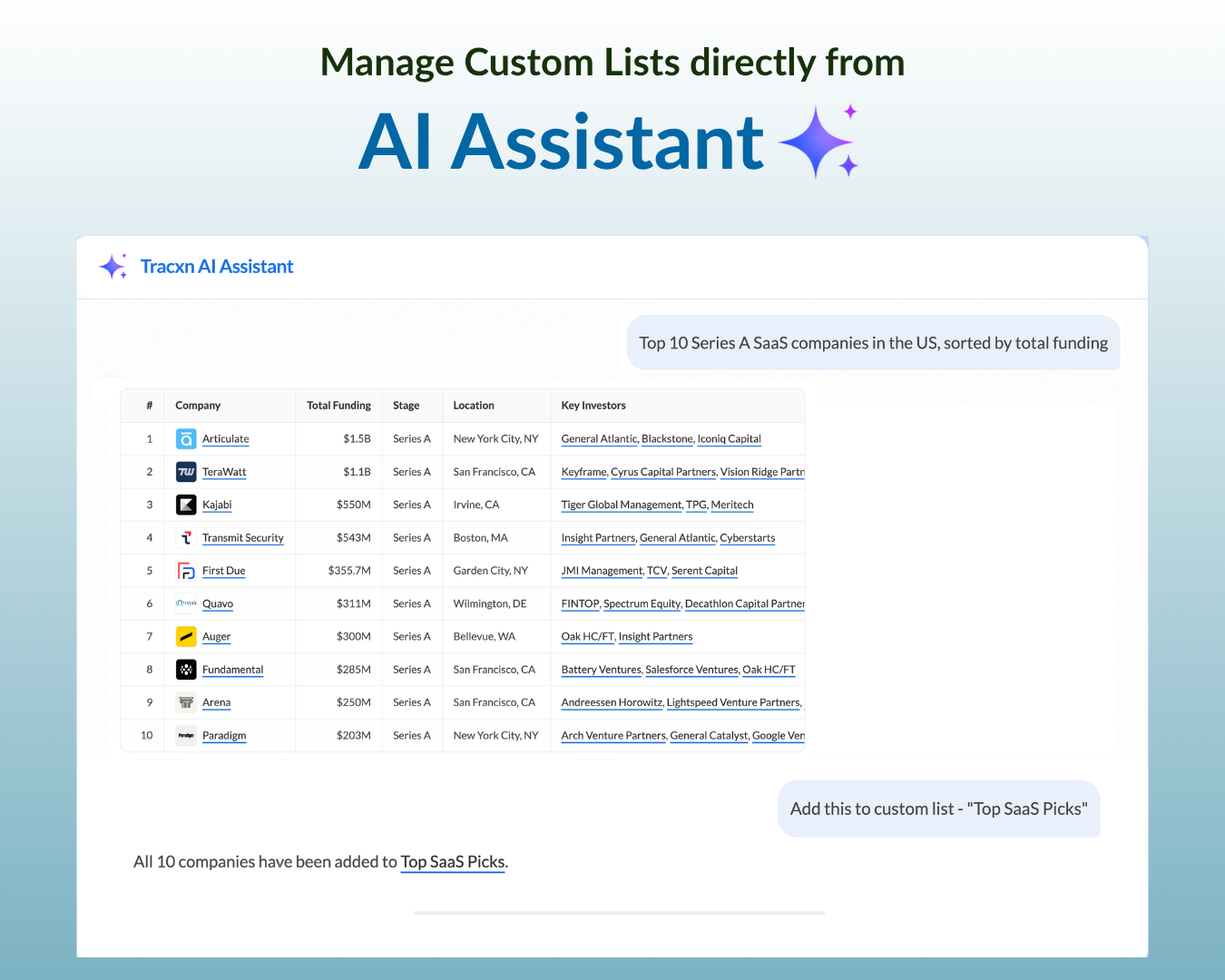
Add companies right after finding them - Ask something like Add these companies to a new custom list called “Top SaaS Picks" and the assistant creates the list and adds them in the same conversation.
Remove companies just as easily - Ask the assistant to remove a company from a list (e.g. “Remove Tesla from this list”). The assistant asks you to confirm, and once you do, the company is removed.
Track bulk additions - When you’re adding many companies at once, you can track the progress from the My Requests tab.
How to get started
Open the AI Assistant from the left navigation tab or the ✨ button in the top navigation bar.
Ask a query to get the companies you’re looking for.
Ask the assistant to add them to a Custom List - new or existing.
Note: Custom List management via chat currently works for adding/removing companies only.
Need help?
We’ve got you covered 24/7. Reach out via live chat, email at support, or WhatsApp—we’re always here to help.
Share
Try Tracxn for free
Premium features, no strings attached. See what the full platform can do for your research.