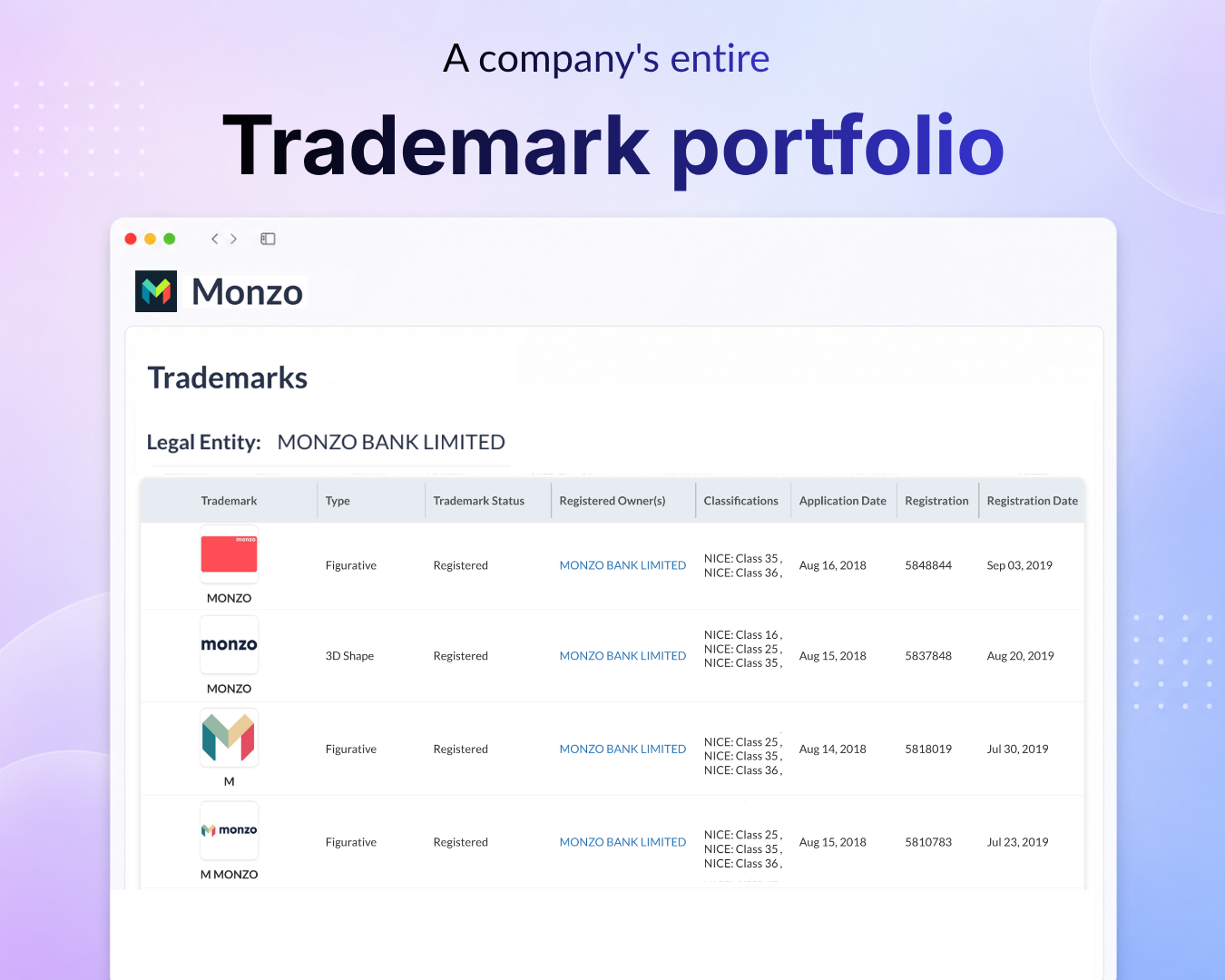
All trademarks in one place - Every trademark linked to a company’s associated legal entities now lives in a single widget on its Company Profile page, alongside the rest of the company’s data. You get a company’s complete trademark picture at a glance, ready to scan in one place.
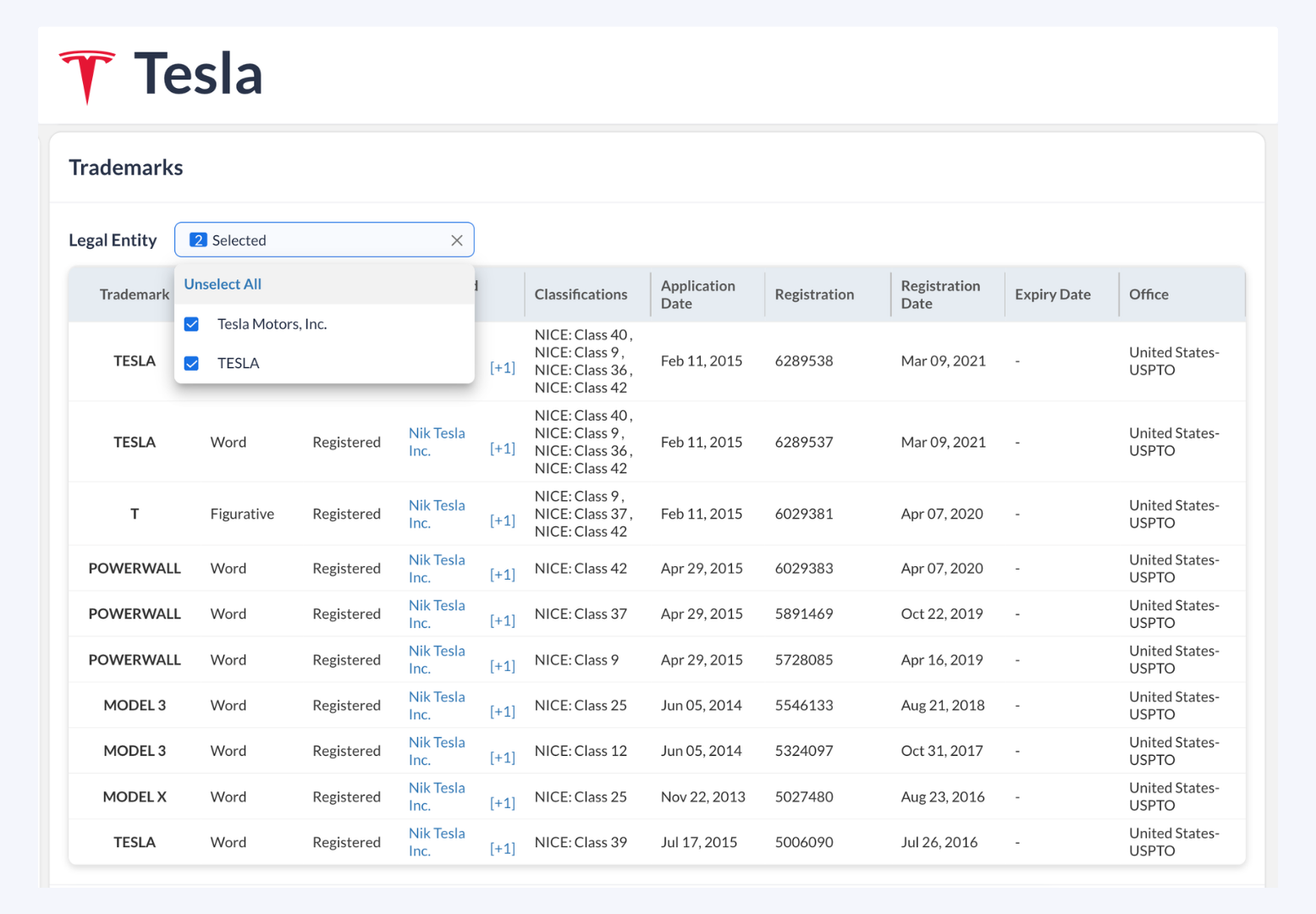
Complete detail on every trademark - Each record captures the mark, its Type (Word, Figurative, 3D Shape, and others), Status, Registered Owner, NICE Classifications, and more. You can read a company’s brand-protection and filing activity for due diligence or competitive research.
Legal Entity Selector for multi-entity companies - When a company holds trademarks under more than one associated legal entity, a Legal Entity selector appears so you can choose which entities to view. The selector appears only when a company has multiple associated legal entities; companies tied to a single entity won’t see it. (Example: Tesla, which has multiple associated legal entities.)
Where to find it
Open a company’s Company Profile page
In the left panel, select Trademarks
Open any Company Profile and explore theTrademarkswidget now
Need help?
We’ve got you covered 24/7. Reach out via live chat, email at support, or WhatsApp—we’re always here to help.
Share
Try Tracxn for free
Premium features, no strings attached. See what the full platform can do for your research.