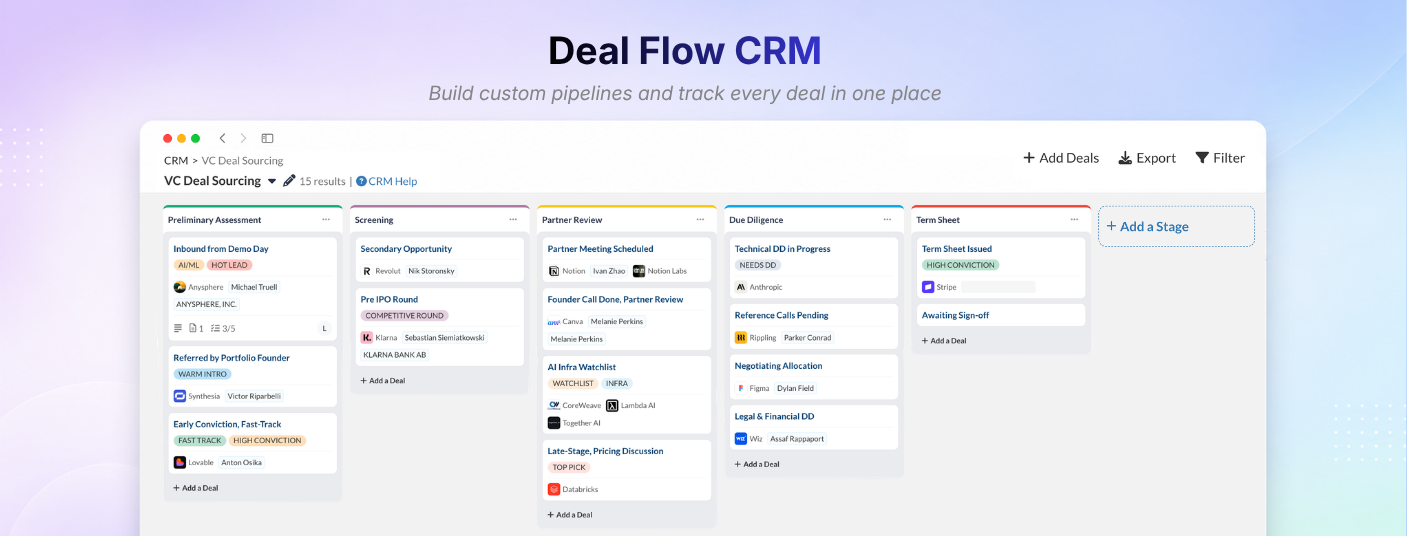
Build custom pipelines and track every deal with Deal Flow CRM
Build custom pipelines and track every deal with Deal Flow CRM
July 9, 2026
·
Integrations
What you can do with it
Build multiple pipelines - Create a separate pipeline for each workflow you run, each with its own stages and custom fields. Keep early-stage prospects, active deals, and closed deals organised without mixing them together.
Associate deals with any entity - Link a deal to a Company, Person, or Legal Entity under “Associated Entities,” or keep it unassociated. You decide how each deal connects to the rest of your data.
Add deals in various ways - Bring deals in through Search, Email, CSV, Tracxn URL, Saved Search, or Custom Lists. When you add a deal via a pipeline’s dedicated email address, Deal Flow CRM automatically logs every later email in that thread against the deal.
Switch between Kanban and Table views - Track deals visually in Kanban or scan metadata quickly in Table view. Open any deal to see labels, associated entities, custom fields, checklists, attachments, notes, and full activity history.
Control pipeline access - As an Admin, you can limit which members see each pipeline from Manage Access, keeping sensitive deal flow visible only to the people who need it.
Create your own customized field - Add a field of any type - Text, Number, Date, Checkbox, or Dropdown - give it any name you want, and capture exactly what you track on each deal. Then filter and sort your pipeline by it to find the right deals fast.