Ask questions in natural language with Tracxn AI Assistant
Ask questions in natural language with Tracxn AI Assistant
June 10, 2026
·
AI Assistant
What you can do with it
The AI Assistant is built to speed up the workflows you run most often:
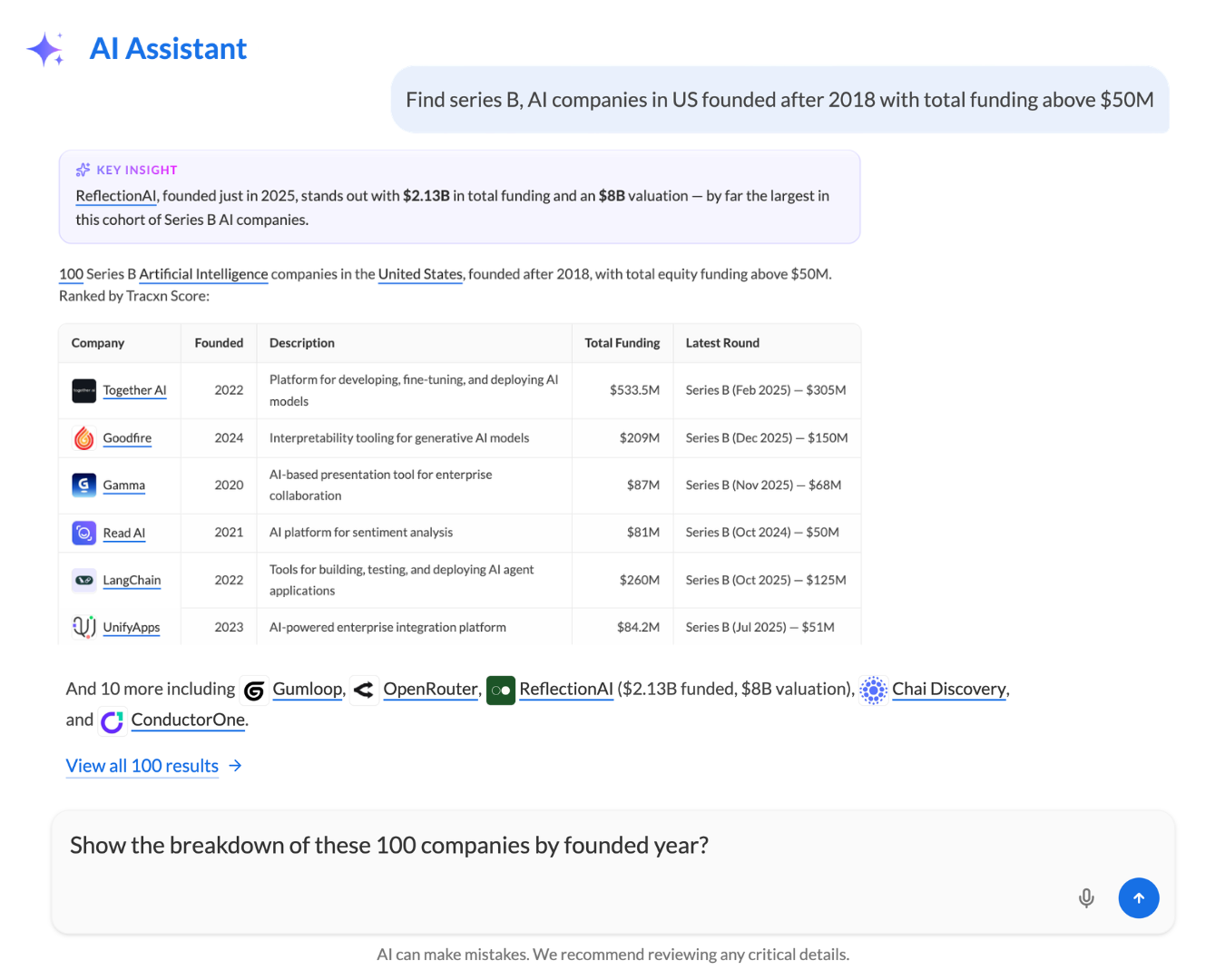
Build lists instantly - Ask for companies by sector, location, stage, and more in plain English, and the Assistant generates a list on the spot - no manual filtering required.
Explore entities instantly - Pull detailed insights on companies, investors, limited partners, funding rounds, acquisitions, and more in one place, without navigating across multiple pages.
Compare companies and explore market trends - Run head-to-head comparisons between sector competitors, or surface aggregate market trends in a single question.
How it works
Ask in natural language - Type your question the way you would ask a colleague. If you need something specific - Use the @ symbol to tag specific companies, legal entities, or investors so the Assistant focuses on exactly what you mean.
Get a clear, synthesised answer - The Assistant responds with a readable summary, key metric tables, and highlights - such as ranking top players by Tracxn Score or matching founding years, HQ locations, funding stages, and more.
Jump straight to the source - Every response includes direct links to the relevant List Pages and Company/Detail Pages, so you can move from a quick answer to deeper analysis in one click.
Save and share your work - Copy any response to your clipboard, download the full chat as a formatted PDF, or rate responses to help improve accuracy over time.
Keep the momentum going - Each answer ends with follow-up suggestions to guide your next step, so you can keep exploring without starting from scratch.